

Why should I upgrade?
Every Popify plan on Shopify, Wix and WooCommerce starts with a 3-day free trial. After the trial you choose a paid plan to keep your popups live. Wix stores can also stay on a limited free plan. Paid plans unlock unlimited active popups, all templates, full design customization and a higher monthly visitor limit.
Free trial and paid plans on every platform
Shopify, Wix and WooCommerce stores all get a 3-day free trial. When it ends, you pick a paid plan. Shopify and WooCommerce have no free plan, so a paid plan is required to keep showing popups.
All paid plans include:
- Unlimited active popups, so you can show different popups in different places. For example, a discount popup on your homepage and a shipping notice on your cart page.
- Full access to popup templates.
- Full design customization: colors, images, background colors, text size and text color.
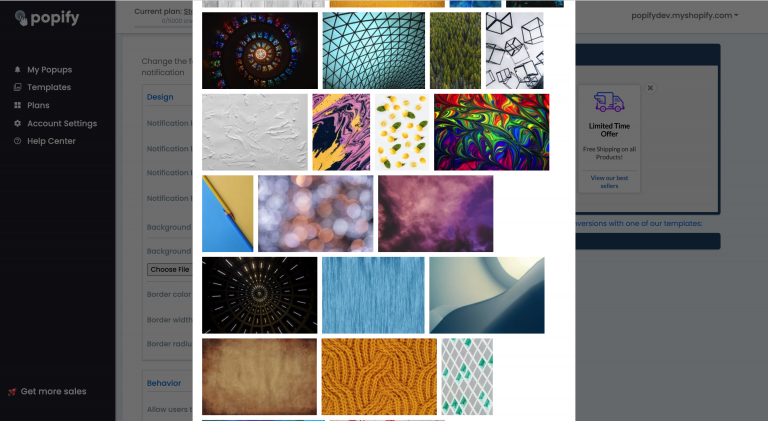
- Background patterns and popup shapes.
- Image and background image uploads.
- Video popups for reviews, recent orders and add-to-cart events.
- No "Powered by Popify" badge.
- Visitor limits from 5,000 monthly unique visitors upward. Larger plans are available on request through the contact page.
Abandoned cart recovery by web push notifications is included from the Basic plan and above. It is not part of the Starter plan. See pricing for the current plans.
Wix free plan vs paid plans
| Feature | Wix free plan | Paid plans |
|---|---|---|
| Monthly unique visitors | 1,200 | From 5,000, larger plans on request |
| Active popups | 1 | Unlimited |
| Templates | Limited | Full access |
| Design customization | Default design | Colors, images, background, text |
| Background patterns and popup shapes | No | Yes |
| Image and background image uploads | No | Yes |
| Video popups | No | Yes |
| "Powered by Popify" badge | Shown | Removed |
| Abandoned cart push notifications | No | Basic plan and above |
A visitor counts once per 30 days, however many pages or popups they see. Learn more in How does Popify calculate monthly unique visitors?
Watch the video below to see what a paid plan adds:
Why should i upgrade for a Popify sales pop up paid plan?
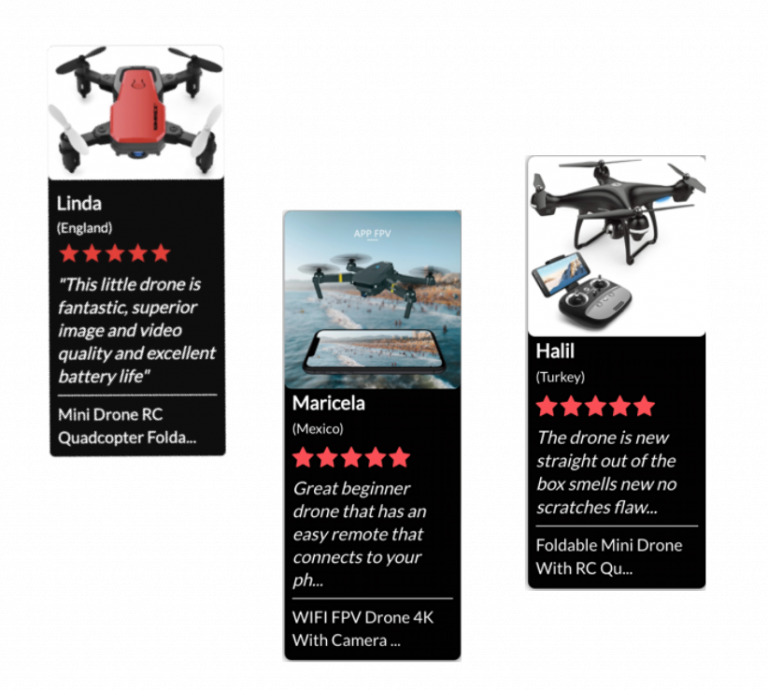
What paid design options look like
Popup shapes and custom designs for reviews, recent sales and add-to-cart popups:
Background patterns:
How to upgrade your Popify plan
On Wix
- Log in to your Wix account.
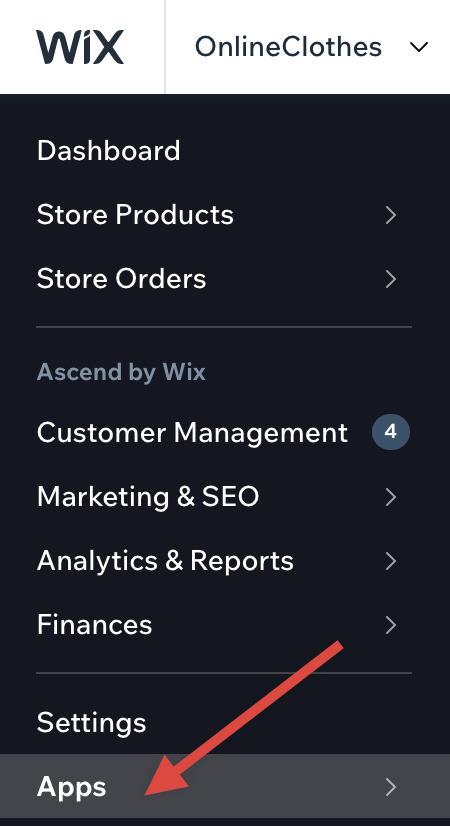
- Go to the Apps page.
- Open the Popify app.

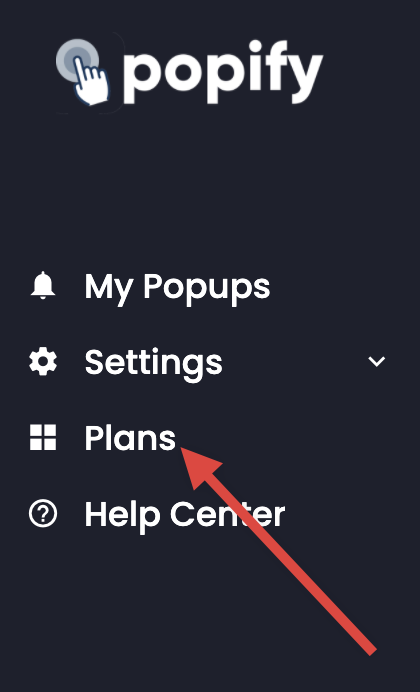
- Select Plans from the side menu.
- Select the plan you want to subscribe to.
On Shopify and WooCommerce
Open the Popify dashboard, select Plans from the side menu and choose your plan. See How do I change my plan? and How to pay for the Popify app?