Features
Every social proof popup your store needs
Recent sales notifications, add-to-cart activity, live visitor and sales counters, review popups, offers and discounts, plus web push for abandoned carts. All styled in one editor.
Recent sales
What is a recent sales popup?
A recent sales popup is a small notification that tells shoppers someone just bought a product: the product image, the buyer’s city and a “2 min ago” timestamp. Popify builds each recent sales notification from your real Shopify, Wix or WooCommerce orders, so every popup is a sale that happened.
- Synced from your store’s real orders
- Add-to-cart activity as a second signal
- Video sales popups with an animated product image

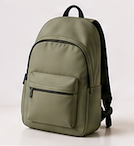
Live visitor counter
Live visitor counter and sales counter
Let shoppers see how many people are viewing a product right now, or switch to a Shopify sales counter that shows how many were sold in the last 24 hours. Both count real visits and orders, on Shopify and Wix alike.
- “24 people are viewing this product”
- “32 sold in the last 24 hours”
- Show on product pages, collections or both
Reviews
Review popup
Bring the reviews you already collect onto the pages where people decide. Popify’s review popup pulls from Editorify and Ryviu and shows the reviewer, the product and when the review was posted.
- Works with Editorify and Ryviu
- Reviewer, product and time posted
- Choose the product image shape

Announcements & discounts
Announcement, offer and discount popups
Announce free shipping, a new collection or store news with a call-to-action link. Discount popups put a coupon code in front of shoppers while they are still browsing, so the deal makes it to checkout.
- Call-to-action links to any page
- Discount codes for special deals
- Schedule and target by page
Abandoned cart recoveryBasic plan and up
Abandoned cart recovery with web push
Web push for Shopify, Wix and WooCommerce stores: when a shopper leaves items behind, Popify sends a browser notification that links back to their cart. It works as an abandoned cart recovery Shopify app and covers Wix abandoned cart recovery too, without collecting email addresses.
- Web push notifications for Shopify, Wix and WooCommerce
- Shopper opts in once in their browser
- Included from the Basic plan
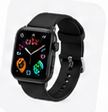
Example: a browser notification from a store reading “You left something behind. Your Smart Watch is still in your cart.” The flow goes cart left, web push sent, back at checkout.
Popup analytics
See which popups convert
Every popup reports its views, clicks and hovers, and your dashboard adds them up across all active popups. Compare popups side by side, keep what gets clicked and rework the rest.
- Views, clicks and hovers for every popup
- Totals for all active popups at a glance
- Compare popups side by side
- Views
- 18,420
- Clicks
- 1,236
- Hovers
- 3,410
Step by step
How to create a recent sales notification
-
Check you have an order
Recent sales notifications show real orders, so your store needs at least one.
-
Choose Customer activity
In the Popify dashboard, click New notification and pick the Customer activity type.
-
Set placement
Choose the pages to show it on, where it sits and the product image shape.
-
Design and launch
Tweak the design, then click Launch. Your store’s orders start appearing as popups.
Included in every plan
-
Editor & templates
Ready-made templates and full custom design: shapes, text, colors and images.
-
Targeting & triggers
Pick pages, devices, delay, timing and position for every popup.
-
Desktop & mobile
Popups sized and placed for each screen.
-
24/7 support
Help whenever you need it, on every plan.
Unlimited active popups and unlimited impressions on every plan. Compare plans
Let real shoppers make the case for you
Set up your first social proof popup today. 3-day free trial on every plan.