

How to add Video Sales Popups to your Shopify store?
To add a video sales popup to your Shopify store, create a Customer Activity popup in the Popify dashboard, then choose an animation in the Product Image section. Pick the pages to show it on and click Launch. Video popups are included in all paid plans (see pricing).
Steps
1. Log in to your Popify dashboard.
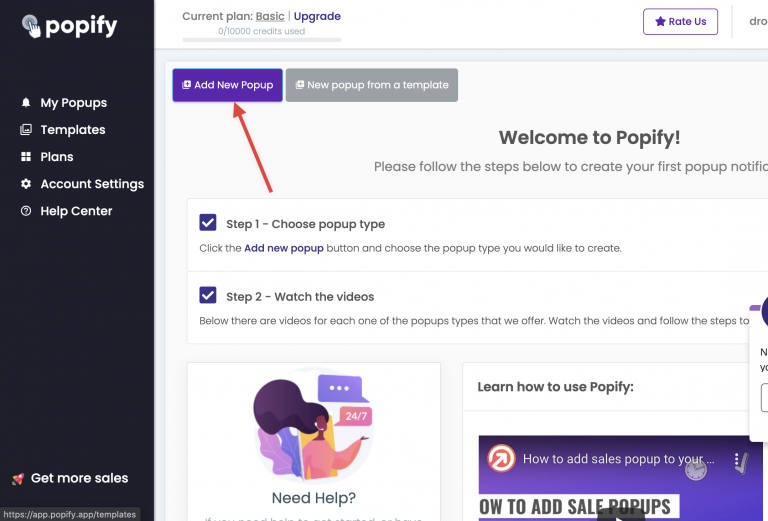
2. Click Add new popup:
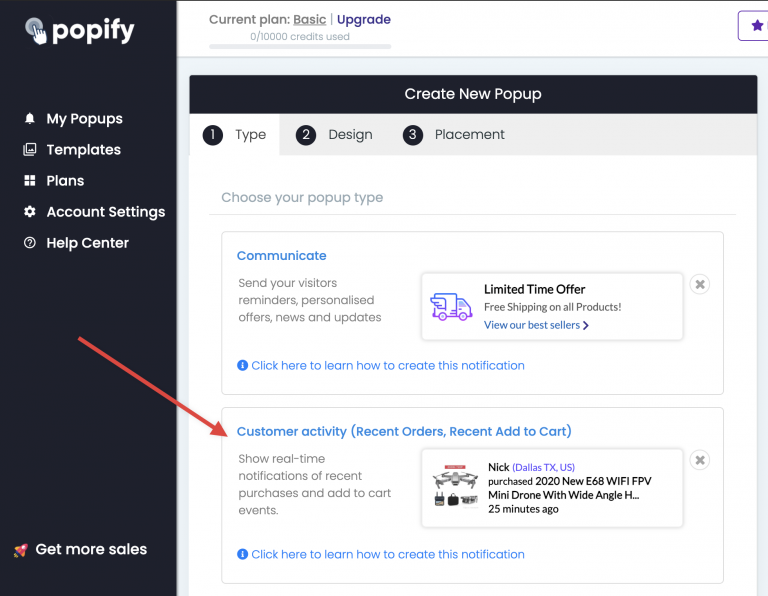
3. Select the Customer Activity popup type:
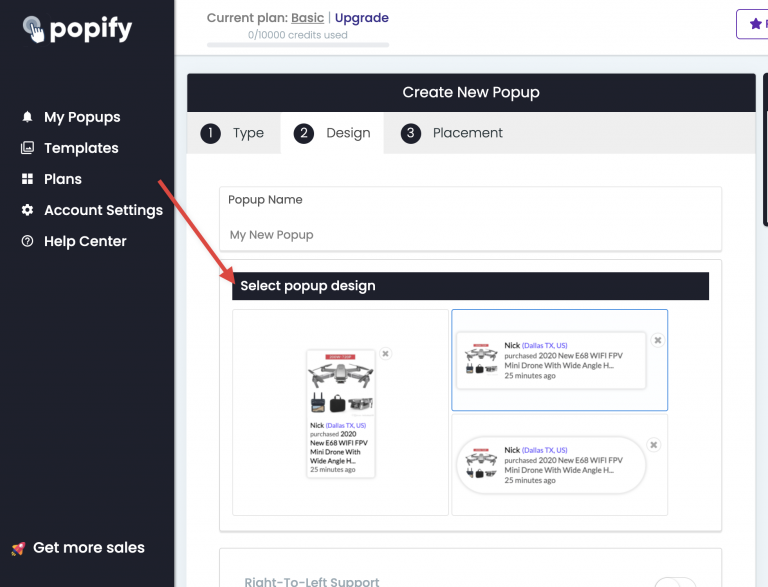
4. Set the values and the design of your popup:
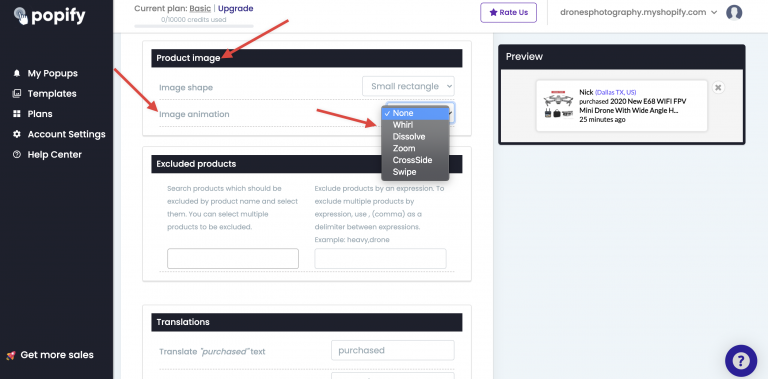
5. Scroll down to the Product Image section and select the animation you want to use:
6. Scroll down and click Next.
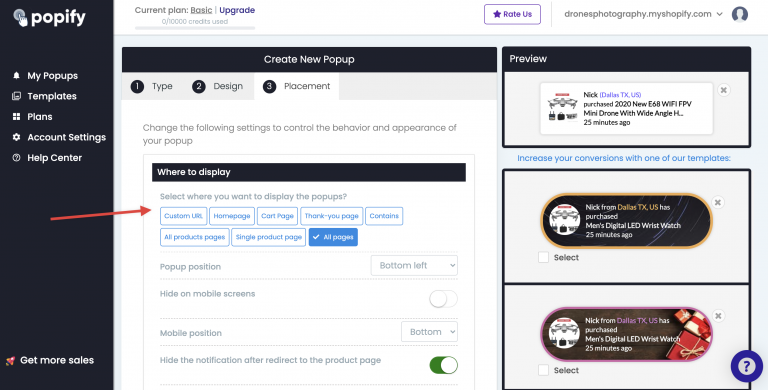
7. Select which pages show the popup:
8. When everything is set up, scroll down and click Launch:
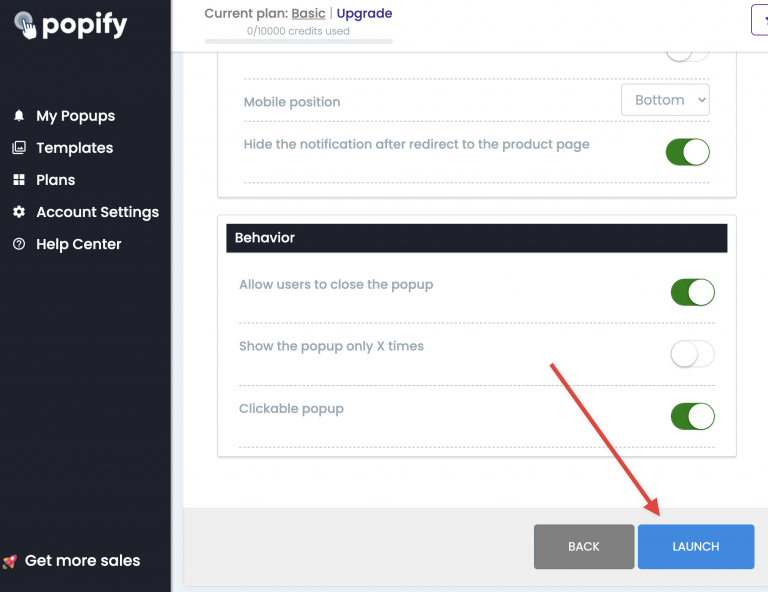
Your video sales popup is saved and starts showing on your store. To see it, open your store in a new tab and refresh the page.
Can't see the popups?
View your store in an incognito window or clear your browser cache, then reload. See also why don't I see my popup notifications.
Still can't see them? Contact us or email [email protected].