

How to install Popify on my Shopify Store?
To install Popify on your Shopify store, open the Popify listing on the Shopify App Store, click Install twice, choose a plan and approve the charge. Your 3-day free trial starts, billing begins when it ends, and you land in the Popify dashboard, where you can create your first popup.
Steps
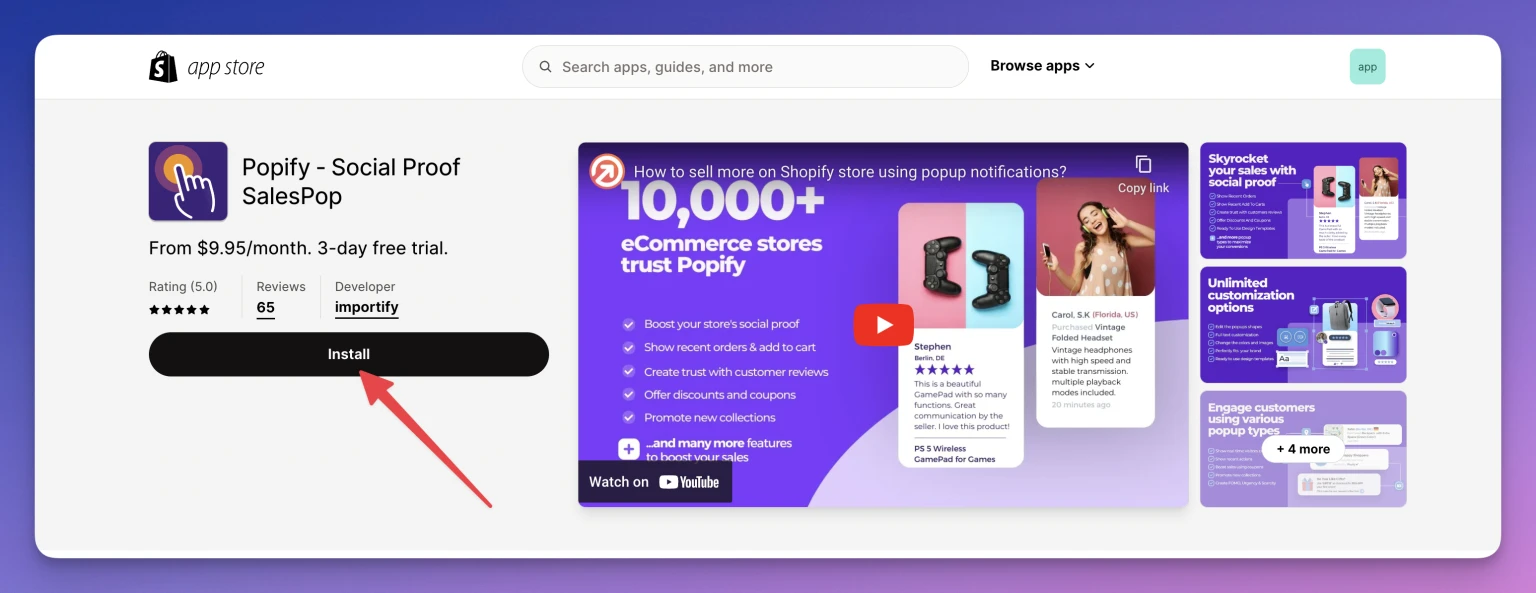
Go to the Popify app page on the Shopify App Store.
Click Install.
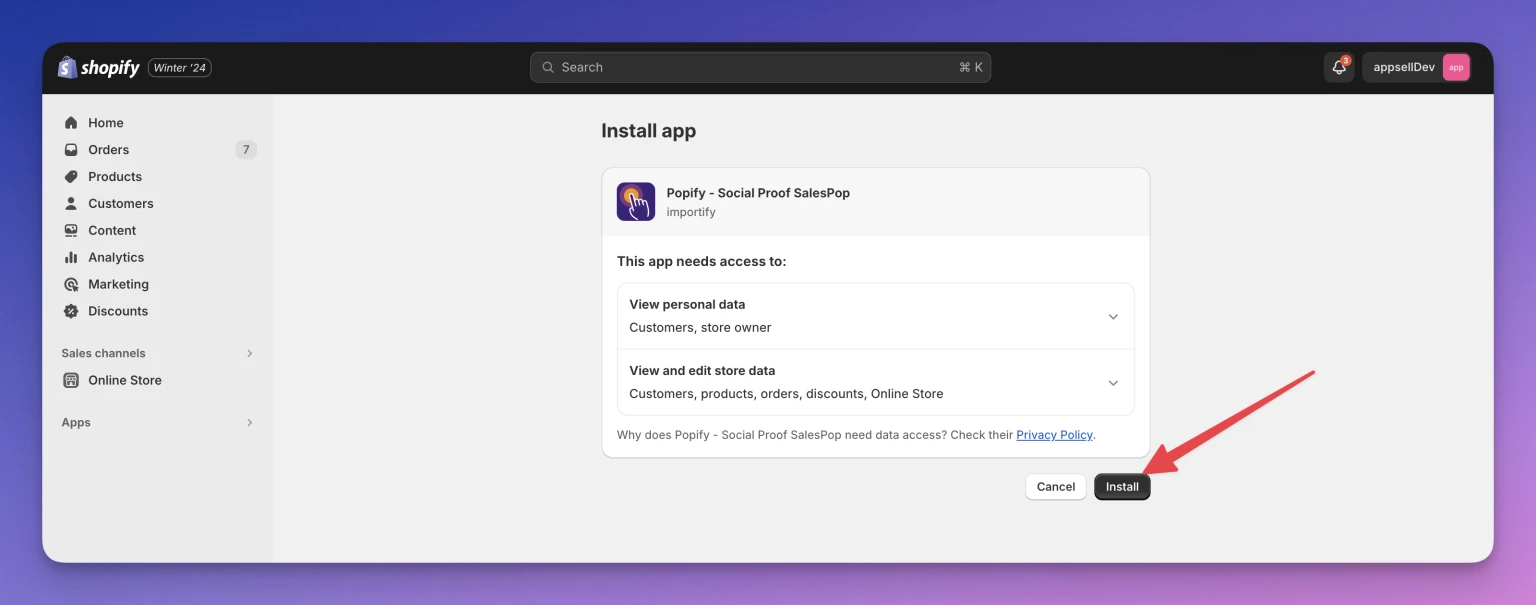
On the next screen, click Install again.
Choose a subscription plan by clicking its Select button. Compare plans on the pricing page.
On the next page, approve the charge. You will be redirected to the Popify dashboard.
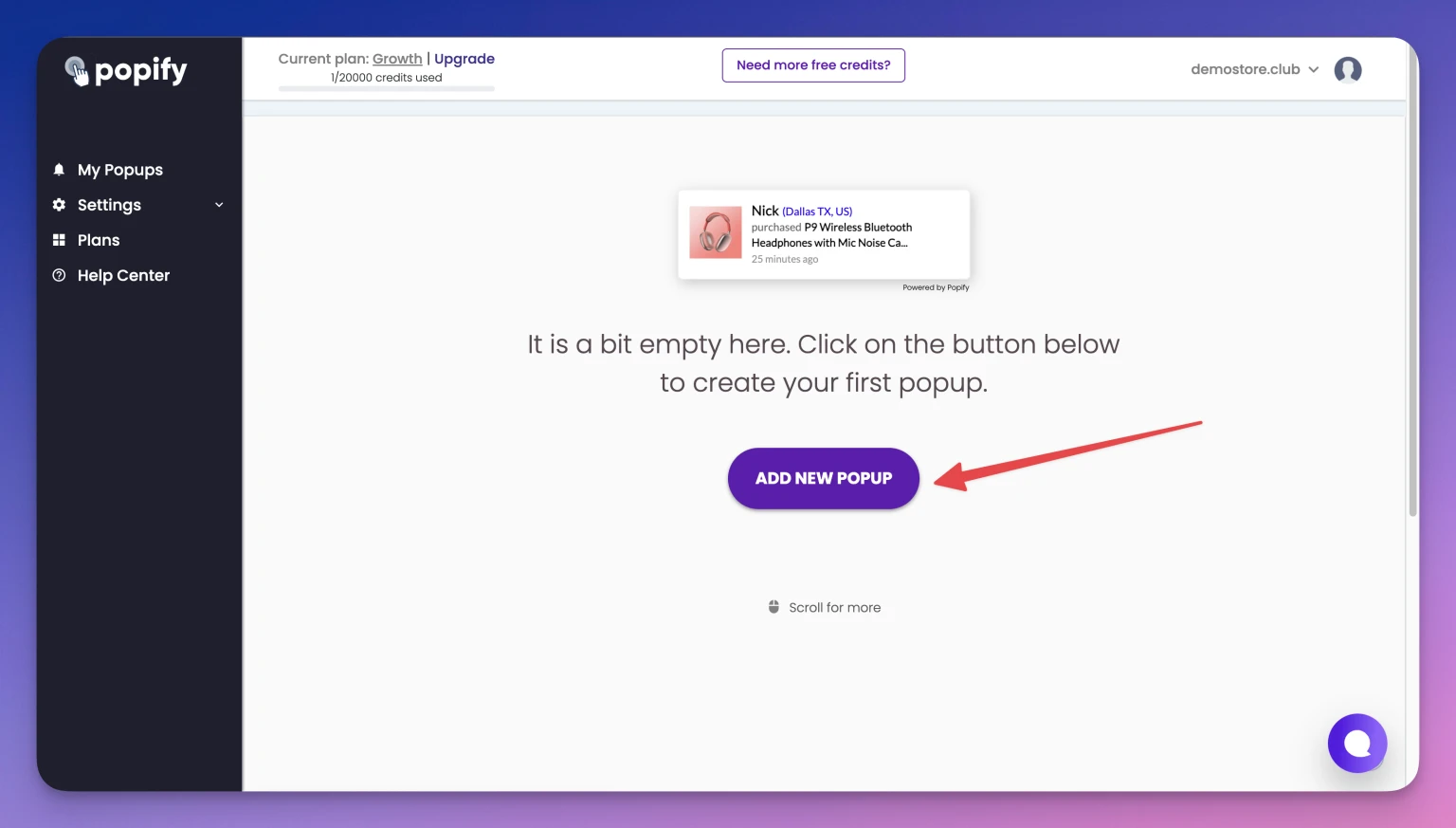
Click Add new popup to create your first popup.
What next?
Follow How to create your first popup with Popify. If you remove the app before the trial ends, you will not be charged; see Does Popify offer a free trial?
Need help? Contact us.