

How to create your first popup with Popify?
To create your first popup with Popify, open your Popify dashboard, click Create popup (or go to My popups), choose a goal and a popup objective, then pick a template or create your own design. Customize the shape, colors and activity, choose the page and placement, and click Launch.
Step 1: Access the Popup Creation Page
Log in to your Popify dashboard and click Create popup in the onboarding process. You can also open the My popups page from the side menu and start from there.
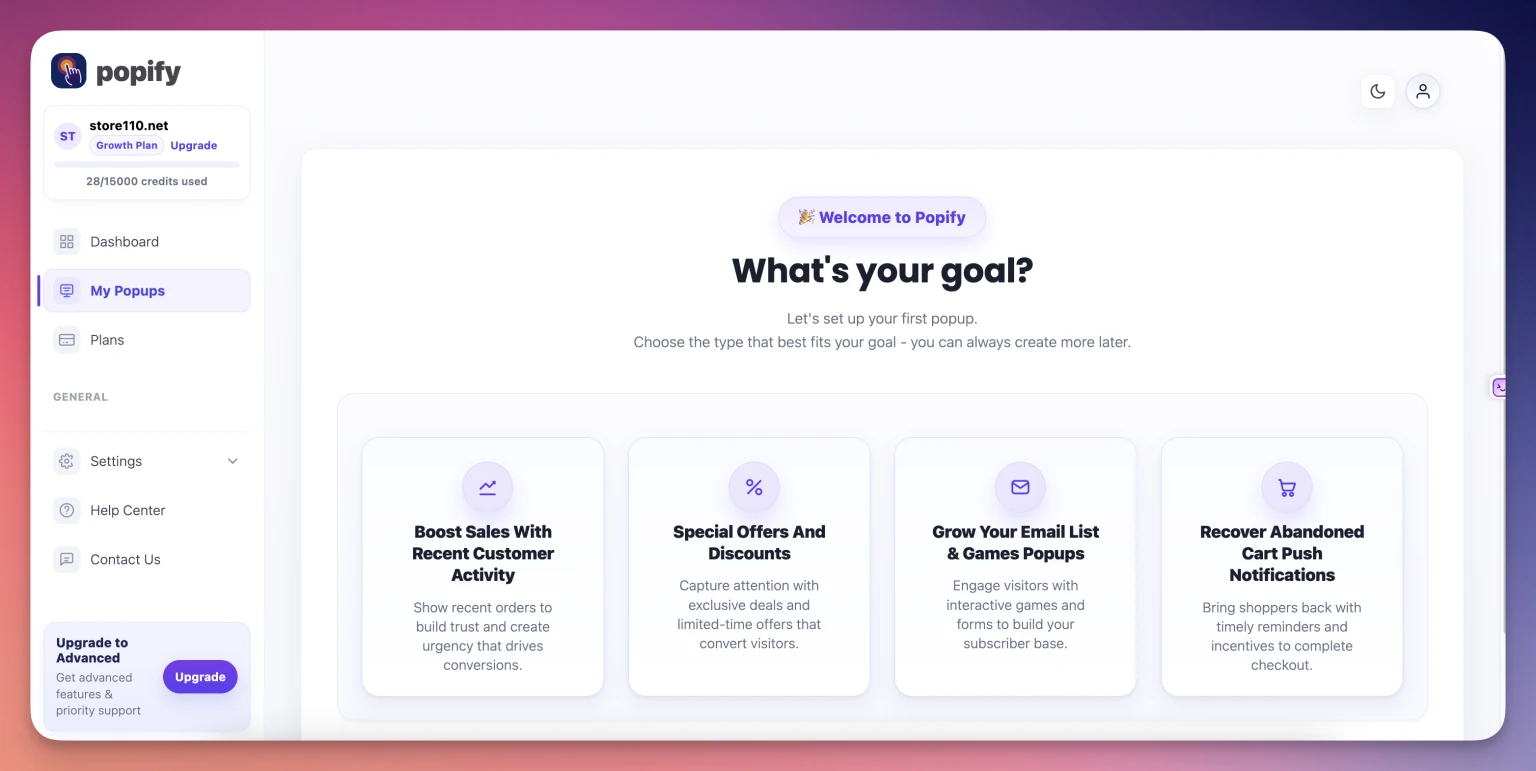
Step 2: Choose Your Goal
The Add popup page lists goals, each built for a specific outcome. Select the goal that best matches what you want to achieve.
This guide uses Boost sales with recent customer activity, but you can choose any goal that suits your store.
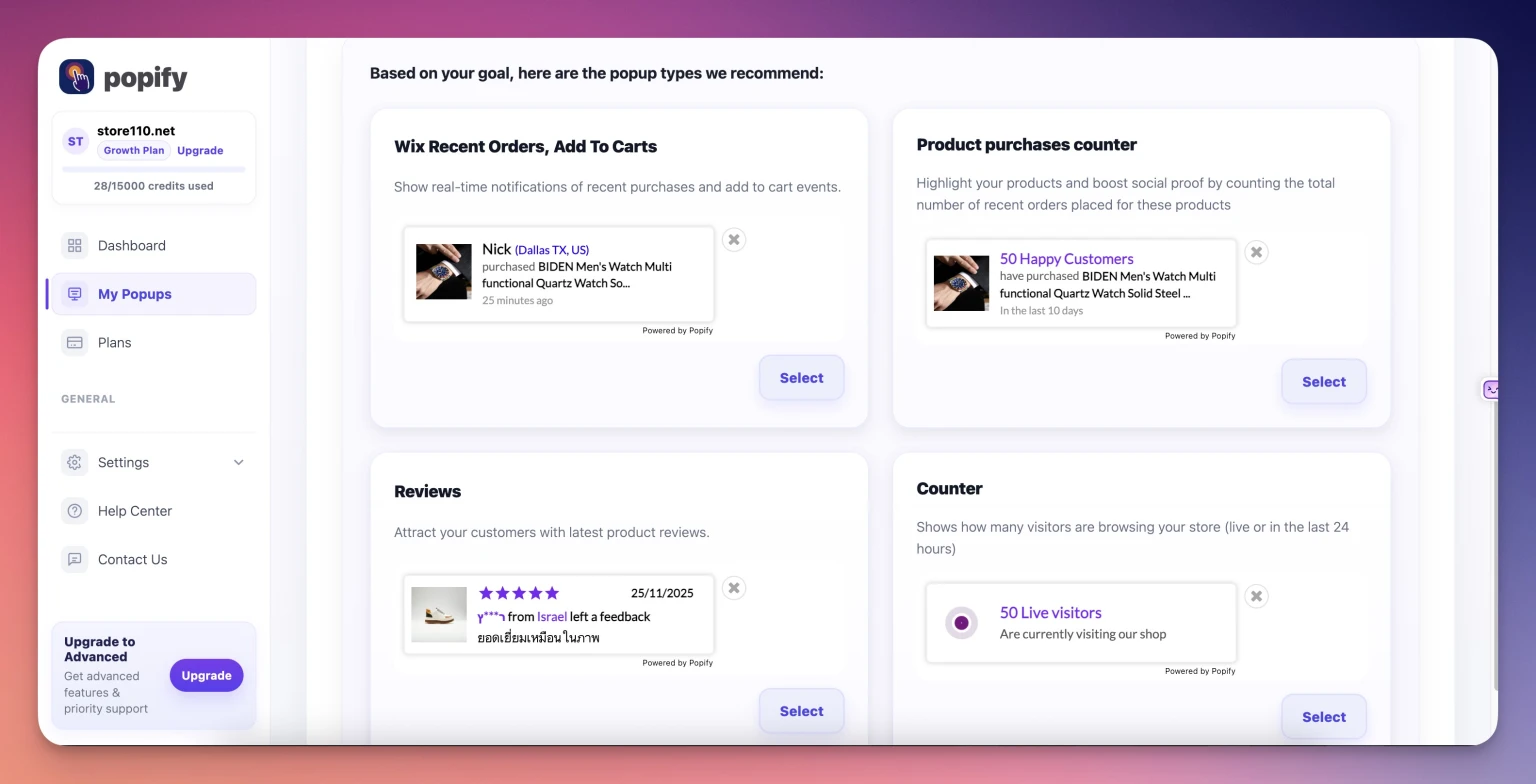
Step 3: Select Your Popup Objective
After you click a goal, Popify asks you to pick a popup objective. For example, under Boost sales with recent customer activity you can choose Recent orders, add to carts. Select an objective to continue.
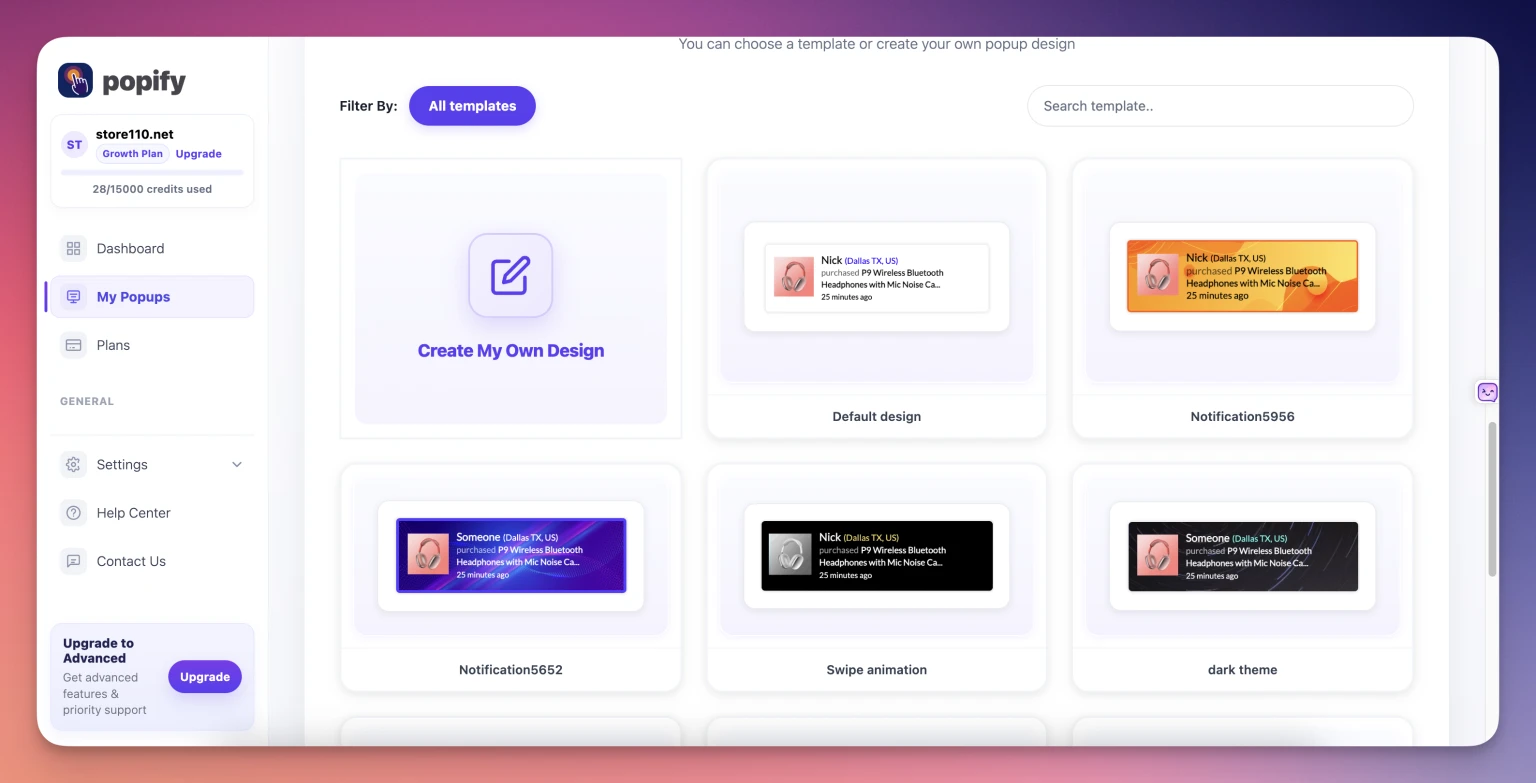
Step 4: Choose a Template or Create Your Own
Once you select an objective, the page scrolls down to the available templates. Browse the options, then:
Click a template that fits your store, or
Click "Create my own design" to start from scratch
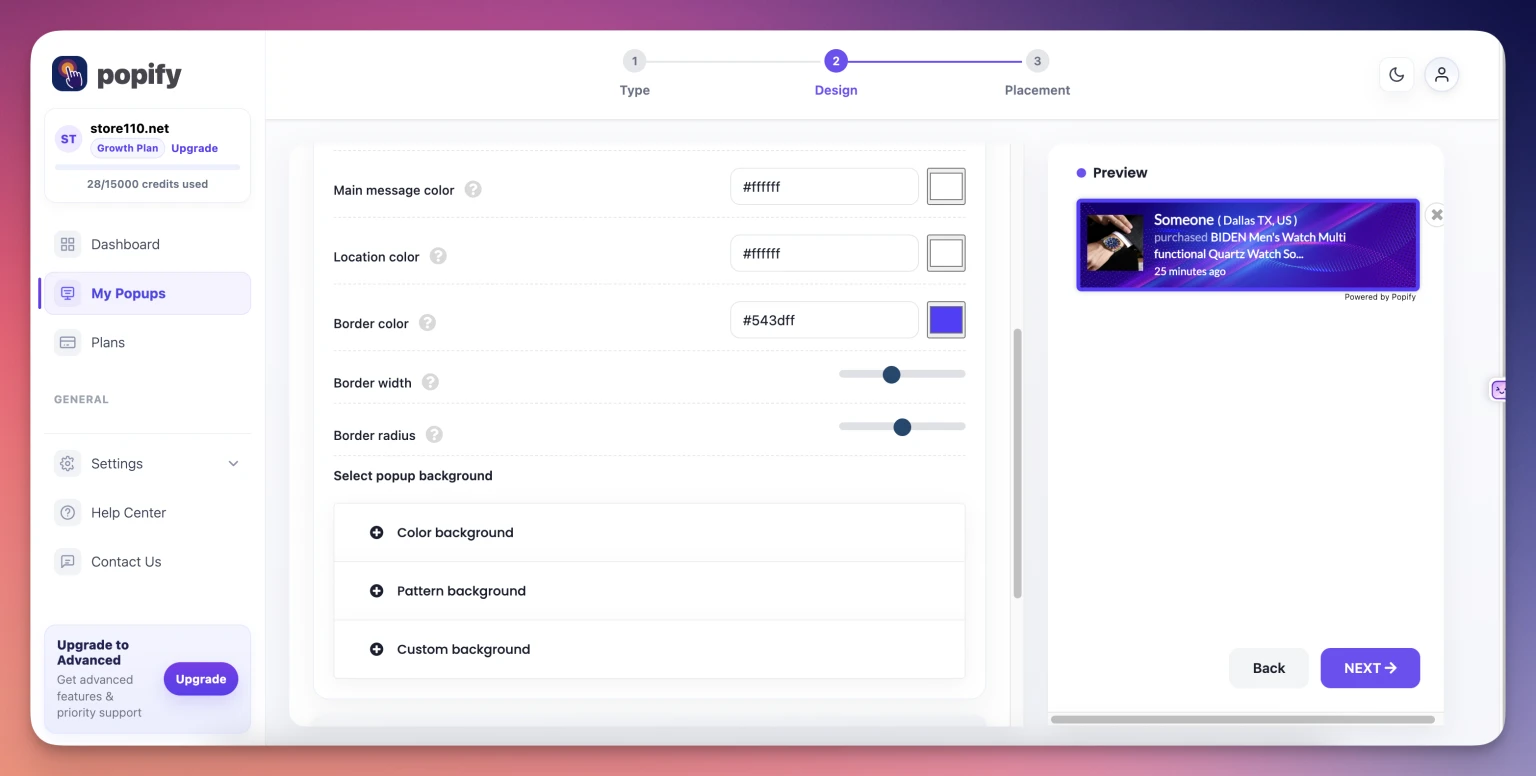
Step 5: Customize Your Popup Design
On the customization page, style the popup to match your brand:
Select the design shape you prefer
Choose your colors and styling
Set which activity to display, such as recent orders or add to carts
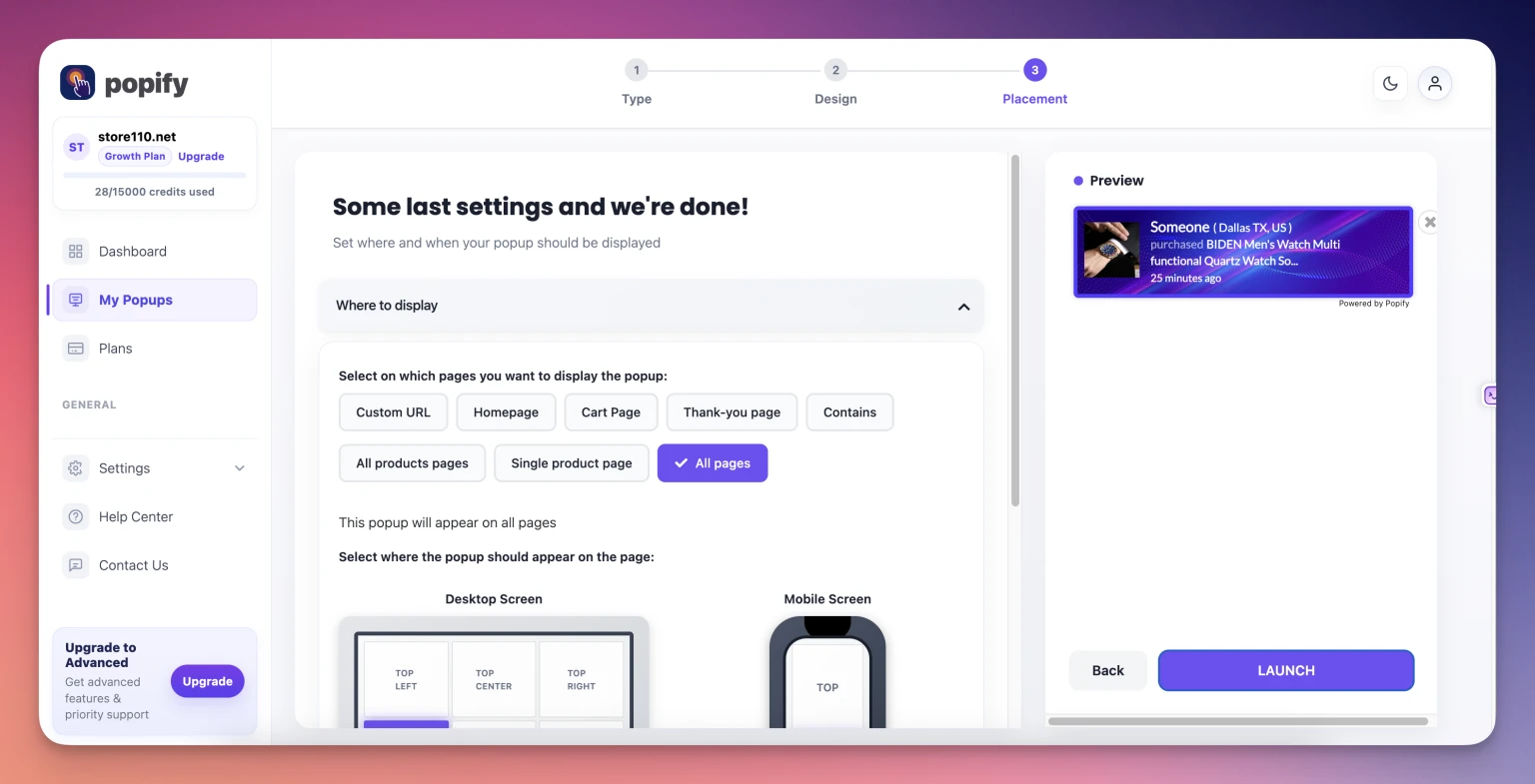
Step 6: Configure Display Settings and Launch
Click Next to reach the final configuration step, then:
Set which page the popup appears on
Choose its placement on the page, such as a corner or the center
Click Launch to activate the popup
What happens after I launch the popup?
Popify saves the popup automatically and adds it to your popups table. To see it live, visit your store and open the page you selected.
You can edit the popup at any time from the My popups page to change it or test different designs. If it does not appear, see Why don't I see my popup notifications?
Need more help? Contact us, or read the targeting and triggers guide and popup design best practices.