

How to install Popify on my Woocommerce store?
To install Popify on your WooCommerce store, add the Popify plugin from the WordPress plugin directory, activate it, then open Popify in your WordPress admin menu and click Go to dashboard. Select a plan to start your 3-day free trial. WooCommerce billing goes through PayPro Global.
Steps
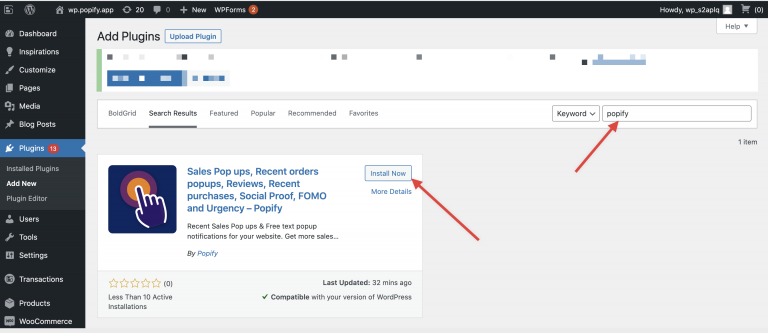
In your WordPress admin, add a new plugin from the WordPress plugin directory: search for Popify and click Install Now.
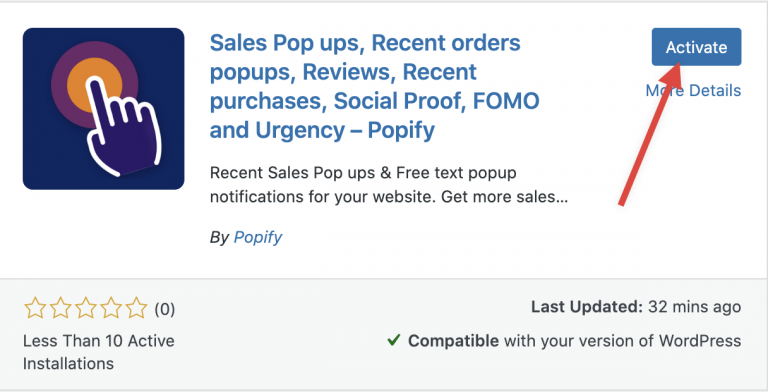
Activate the plugin.
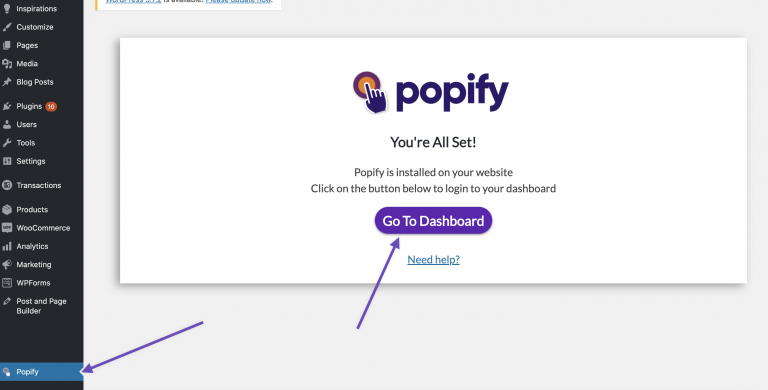
Select Popify from the WordPress admin side menu and click Go to dashboard.
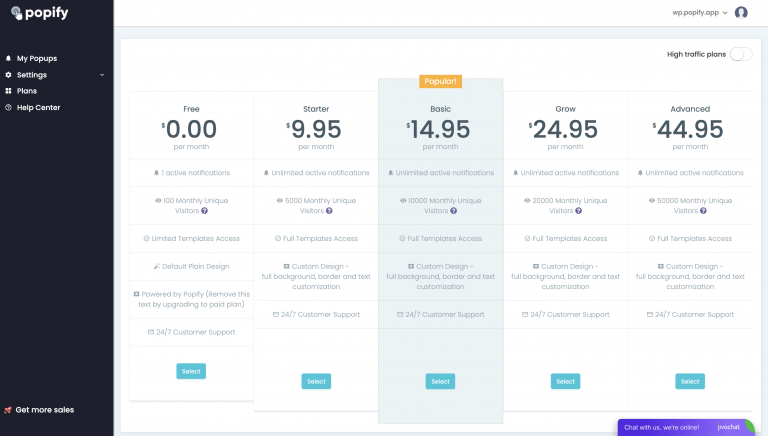
Select a plan. Compare plans on the pricing page.
What next?
Follow How to create your first popup with Popify. If the store does not connect, see how to connect your WooCommerce store to Popify (troubleshooting).
Need help? Contact us.