

Why don't I see my popup notifications?
If you don't see your Popify popups, the usual causes are: the popup is not activated, the "Hide all popups after the visitor is closing a popup" setting is on, no popup has been created yet, or there is nothing to show yet, such as no orders for a recent orders popup or no reviews for a review popup.
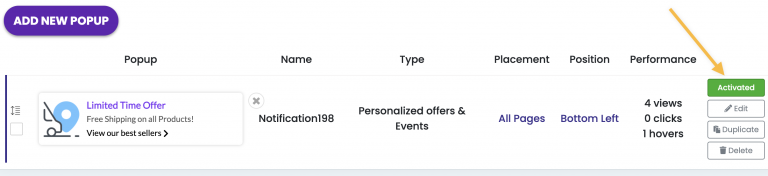
1. Is the popup activated?
A disabled popup does not appear in your store. Make sure the popup's status switch is set to Activated.
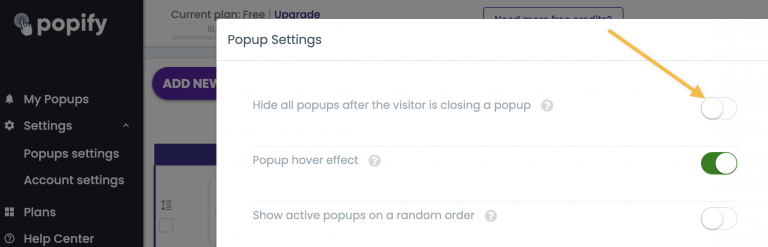
2. Is "Hide all popups after the visitor is closing a popup" on?
When this option is on and a visitor closes a popup, all the popups after it are hidden for that visitor. If you closed a popup while testing, clear your cookies or open your store in an incognito window.
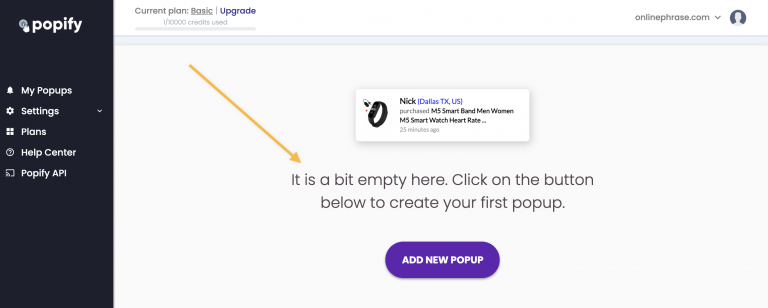
3. Have you created a popup yet?
Popups appear only after you create one. See How to create your first popup with Popify.
4. Is there anything to show yet?
- A recent orders popup needs orders placed in your store. See Why my recent sales popups are not showing?
- A review popup needs reviews on your store.
5. Do the display settings exclude the page or device?
Check which pages the popup is set to display on, whether it is hidden on a target page URL, and whether hide on mobile screens is on if you are testing on a phone.
Still have issues? Contact us.