

Steps to Provide Popify team with Access to Your Shopify Admin Panel
To give the Popify support team access to your Shopify admin, add a staff account for [email protected]. In Shopify, go to Settings, then Users and permissions, add a staff member named Popify Support, choose the permissions below and send the invite. This lets the team look into store-related issues directly.
1. Open Users and permissions
- Log in to your Shopify admin.
- Select Settings in the bottom-left corner.
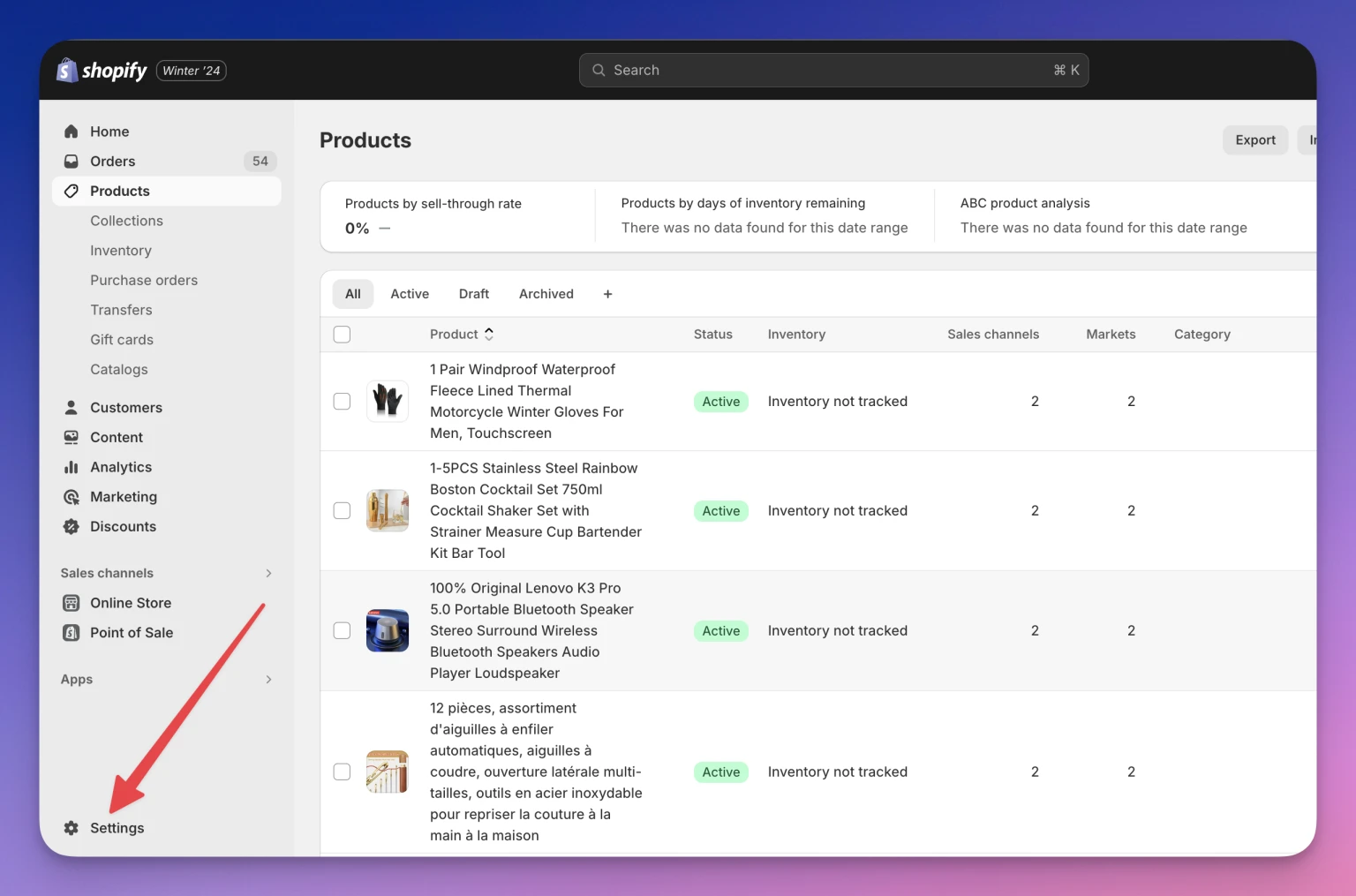
- Choose Users and permissions.
- Click Add staff.
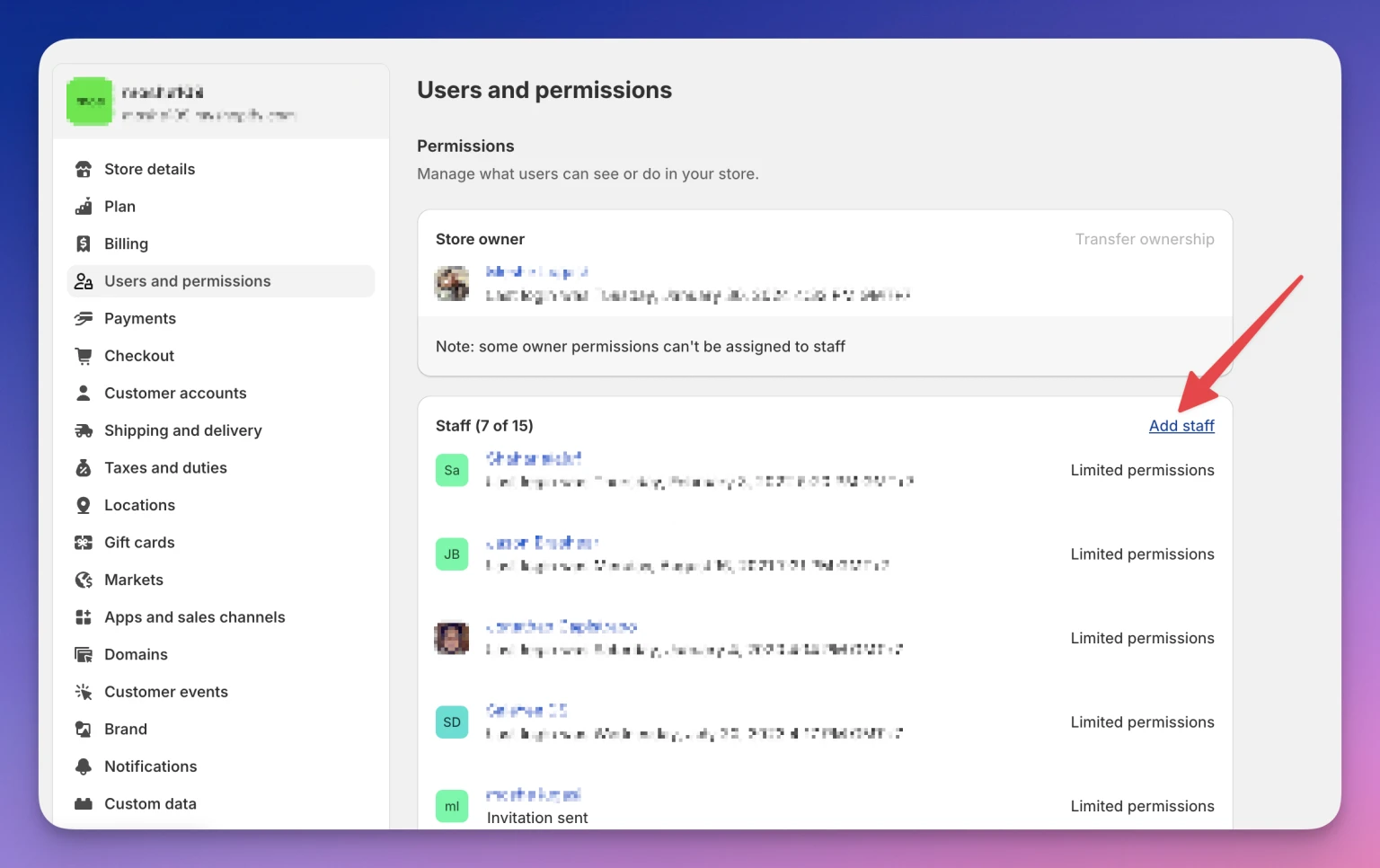
2. Enter the staff member details
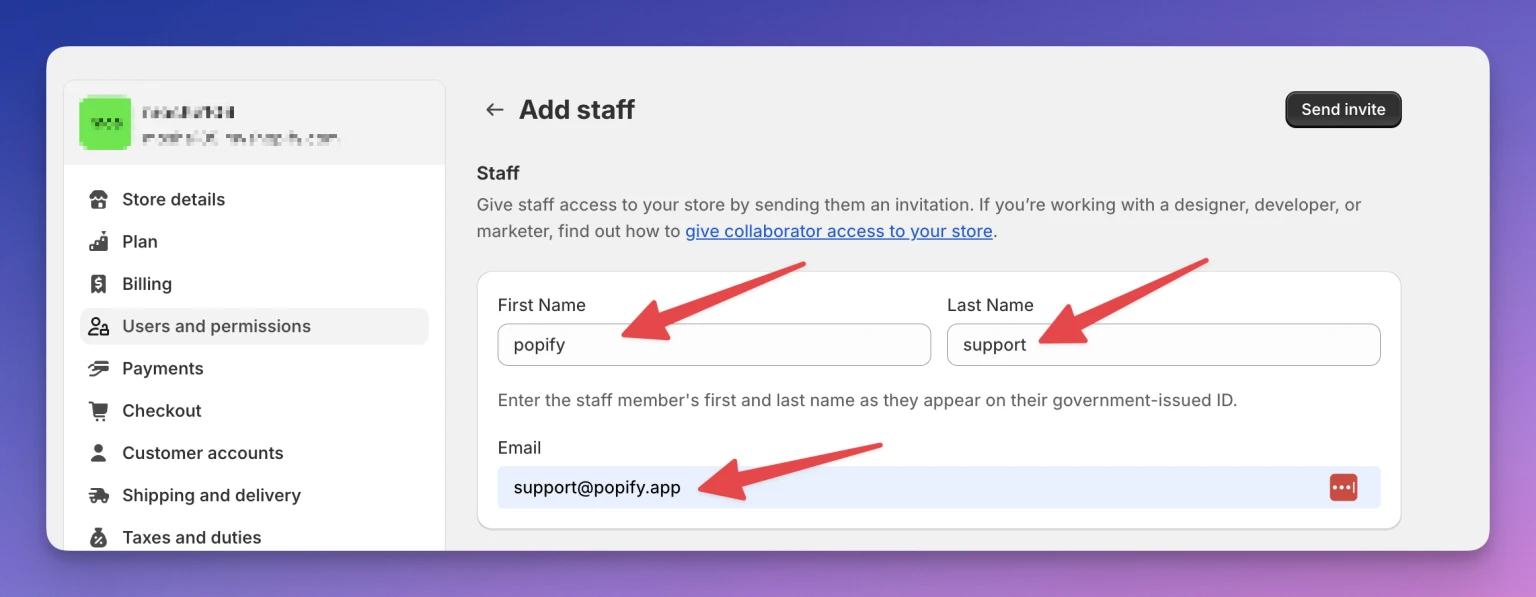
In the Add staff section, fill in:
- First name: Popify
- Last name: Support
- Email: [email protected]
3. Assign permissions
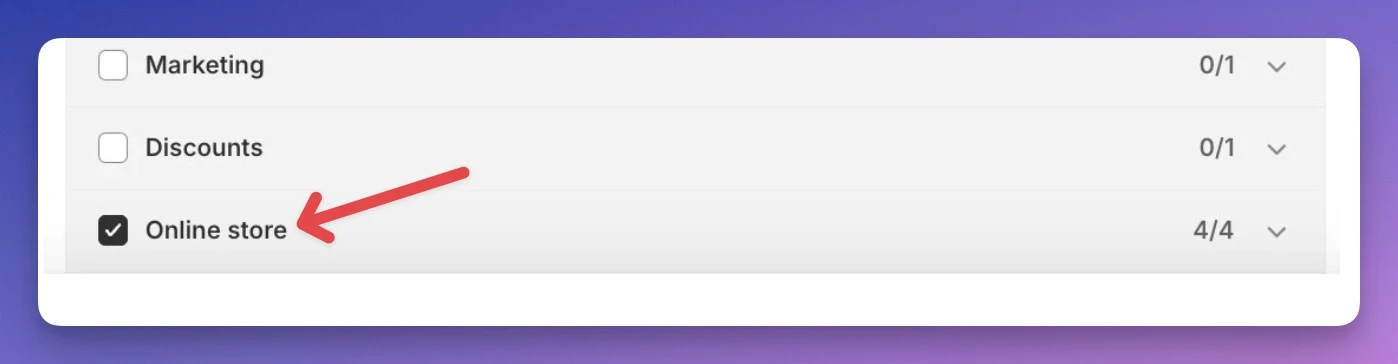
Under Store permissions, select the permissions the Popify team needs:
- Orders
- Products
- Store settings
- Online store
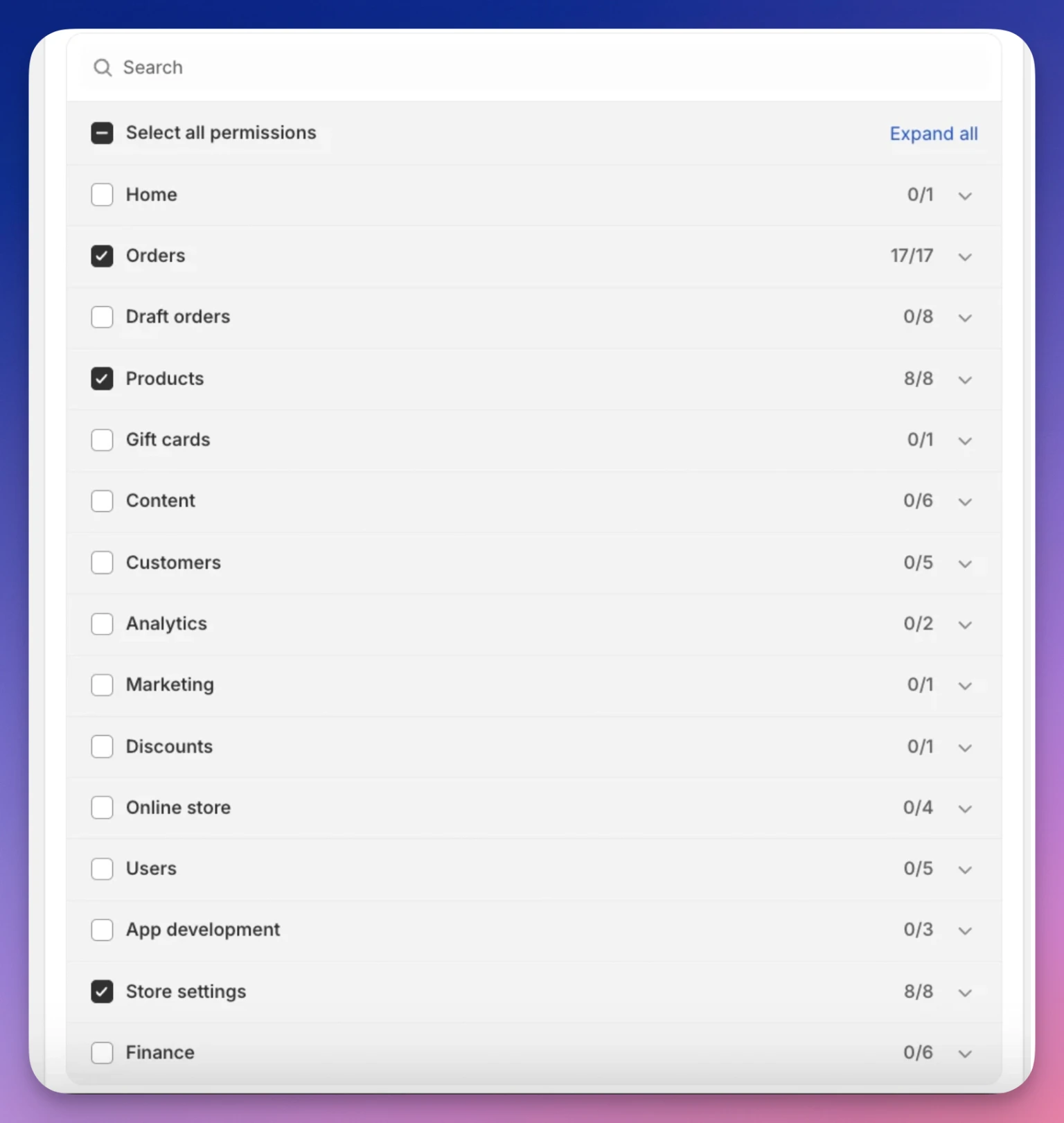
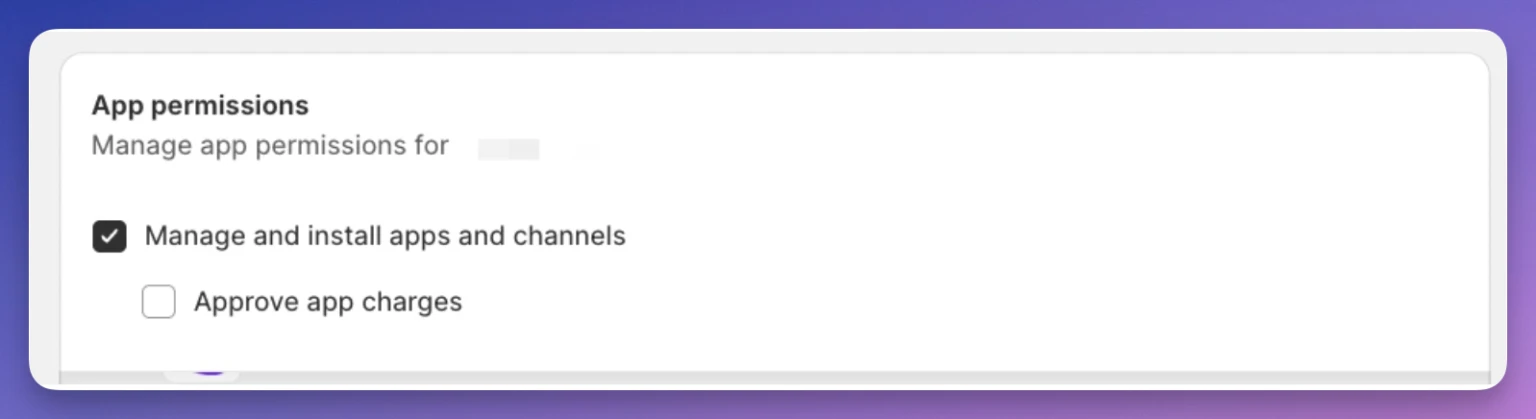
Also assign the Manage and install apps permission:
4. Send the invite
After entering the details and setting permissions, click Send invite. The Popify team can then access your Shopify admin and help with your store. If you have questions, email [email protected] or use the contact page.