

How to edit the recent time text on recent orders and add to carts?
To edit the "X minutes ago" text on Popify recent orders and add-to-cart popups, create or edit the popup and scroll to the Translations section. There you can rewrite each line of time text in your own words or language, and use the {{time}} tag wherever the actual time should appear.
Edit the time text
Create or edit your recent orders or add-to-cart popup.
Scroll to the Translations section:
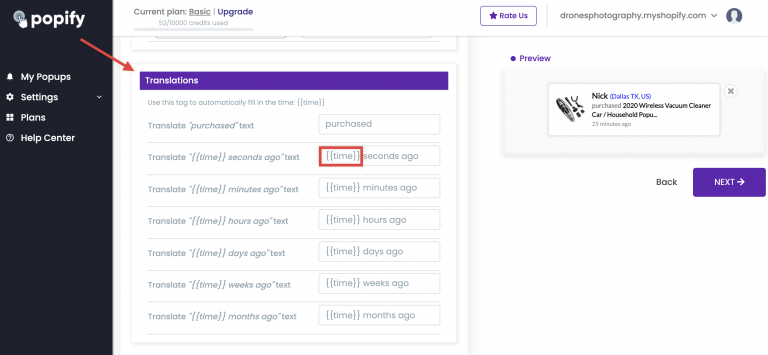
Edit each line of text. Put the
{{time}}tag where the time should appear, and Popify fills in the time automatically.