How to show the customer's location map on orders and add to cart events?
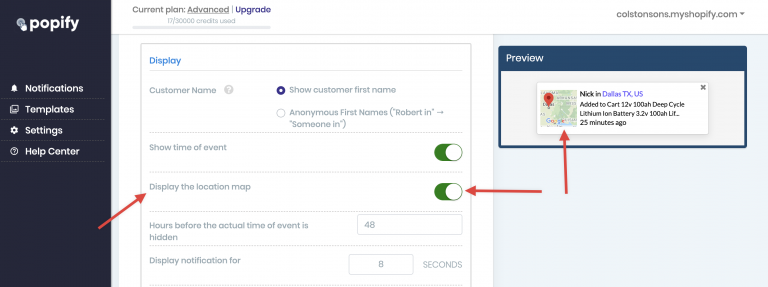
To show the customer's location map on recent orders and add-to-cart popups, create or edit an orders or add-to-cart popup in Popify, open the Placement step, scroll to the Display section and turn on the Display the location map switch. Then click Launch on the Design step to save the change.
Turn on the location map
Create or edit a recent orders or add-to-cart popup.
Click the Placement step and scroll to the Display section.
Turn on the Display the location map switch.